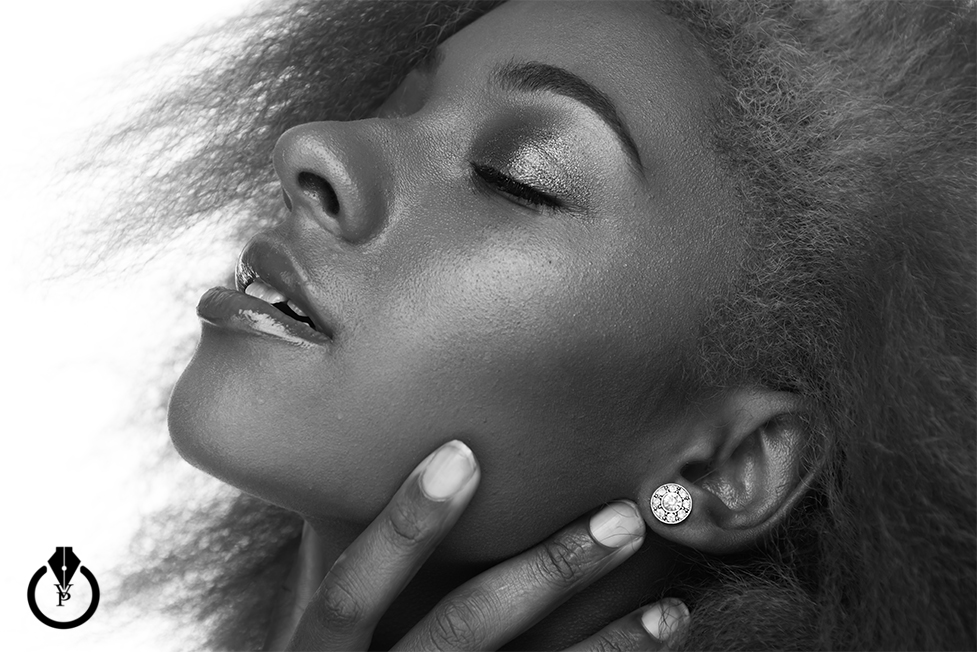
Today I will show you how to create a Black & White image in Adobe Lightroom in only 3 steps
Select the image you want to work with
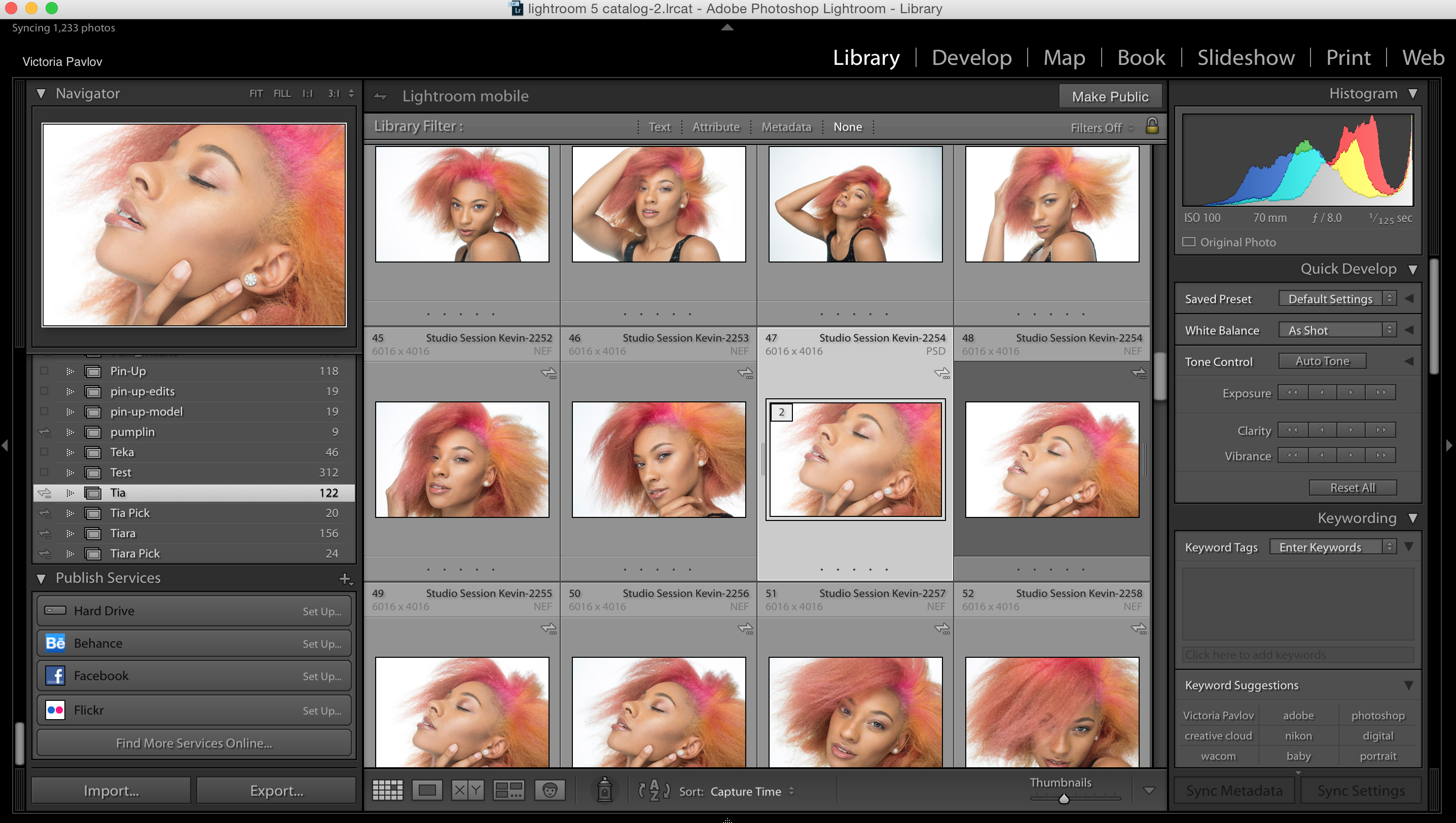
Switch to the Develop Module
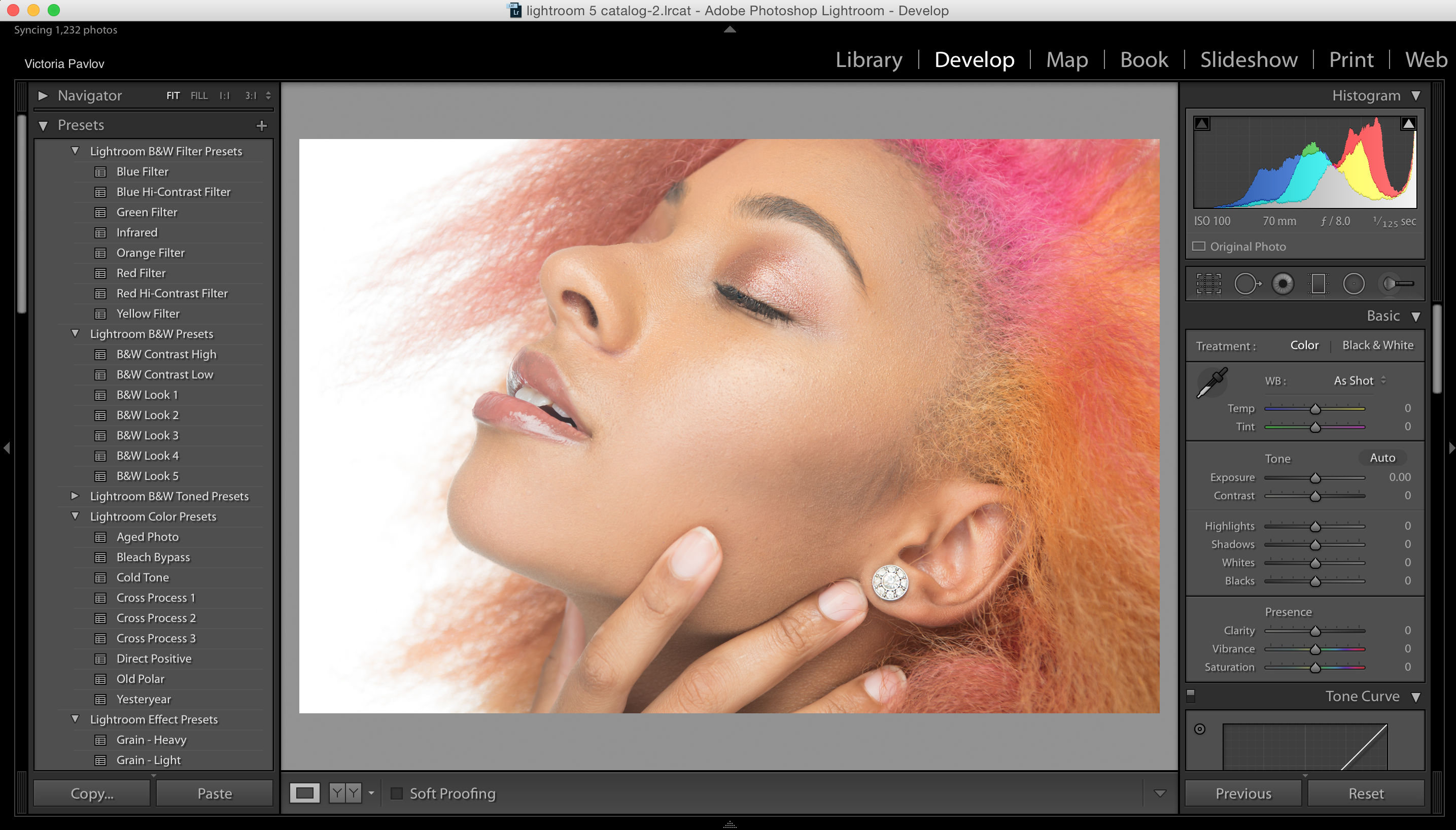
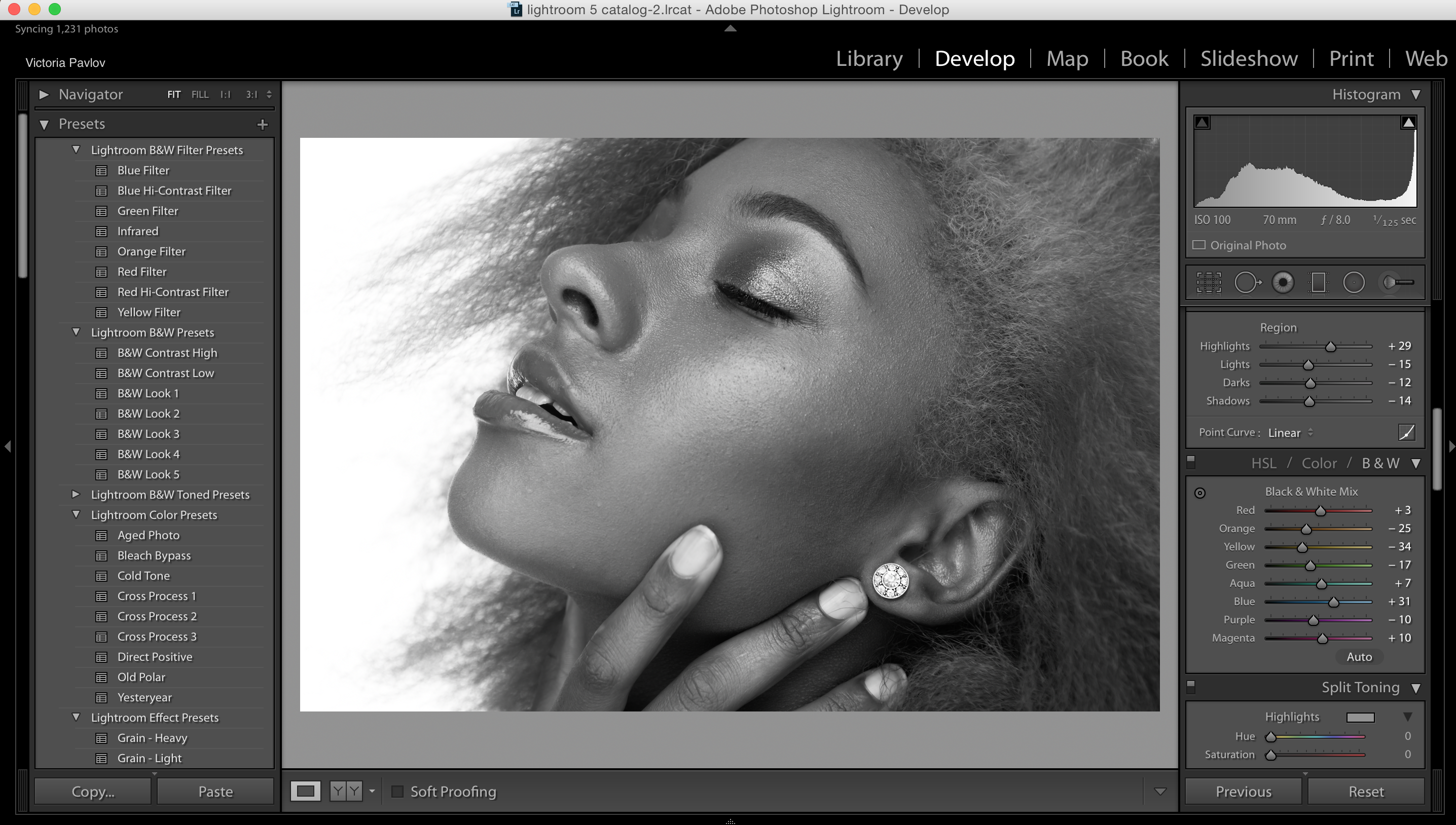
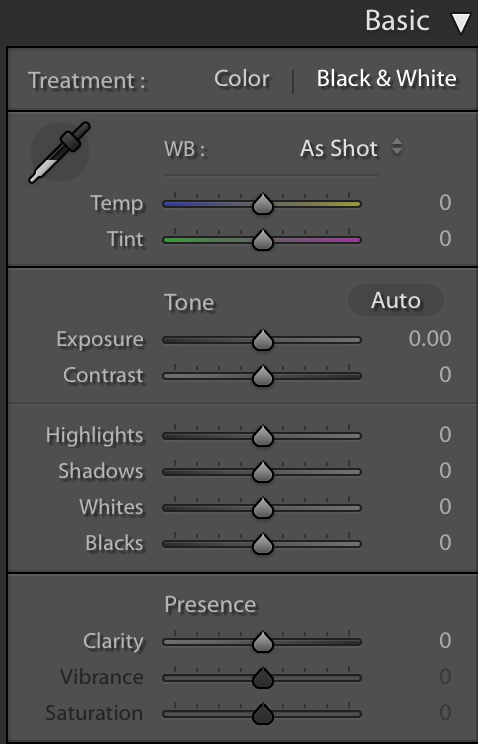
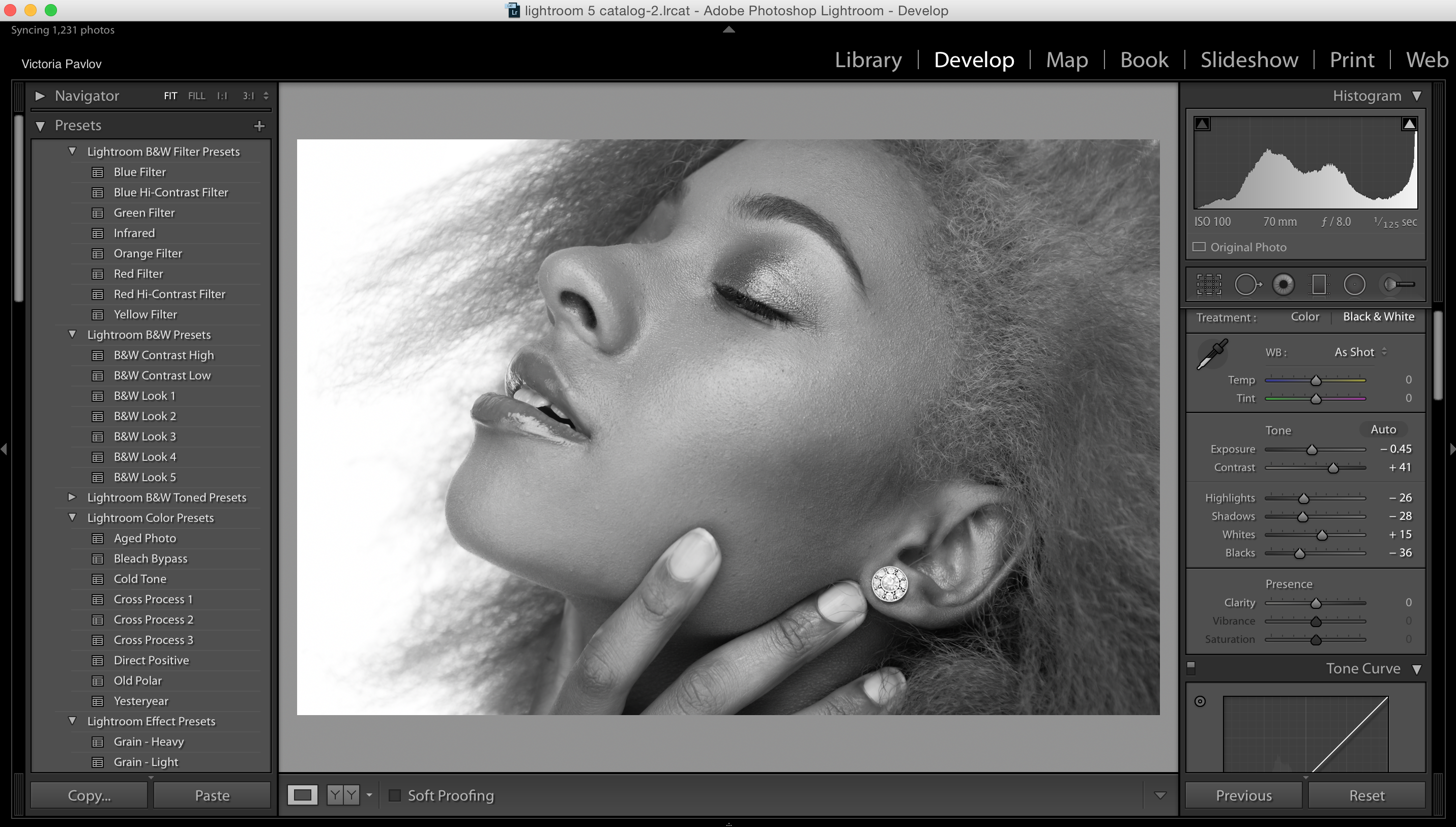
1: Choose Black & White from the Basic panel
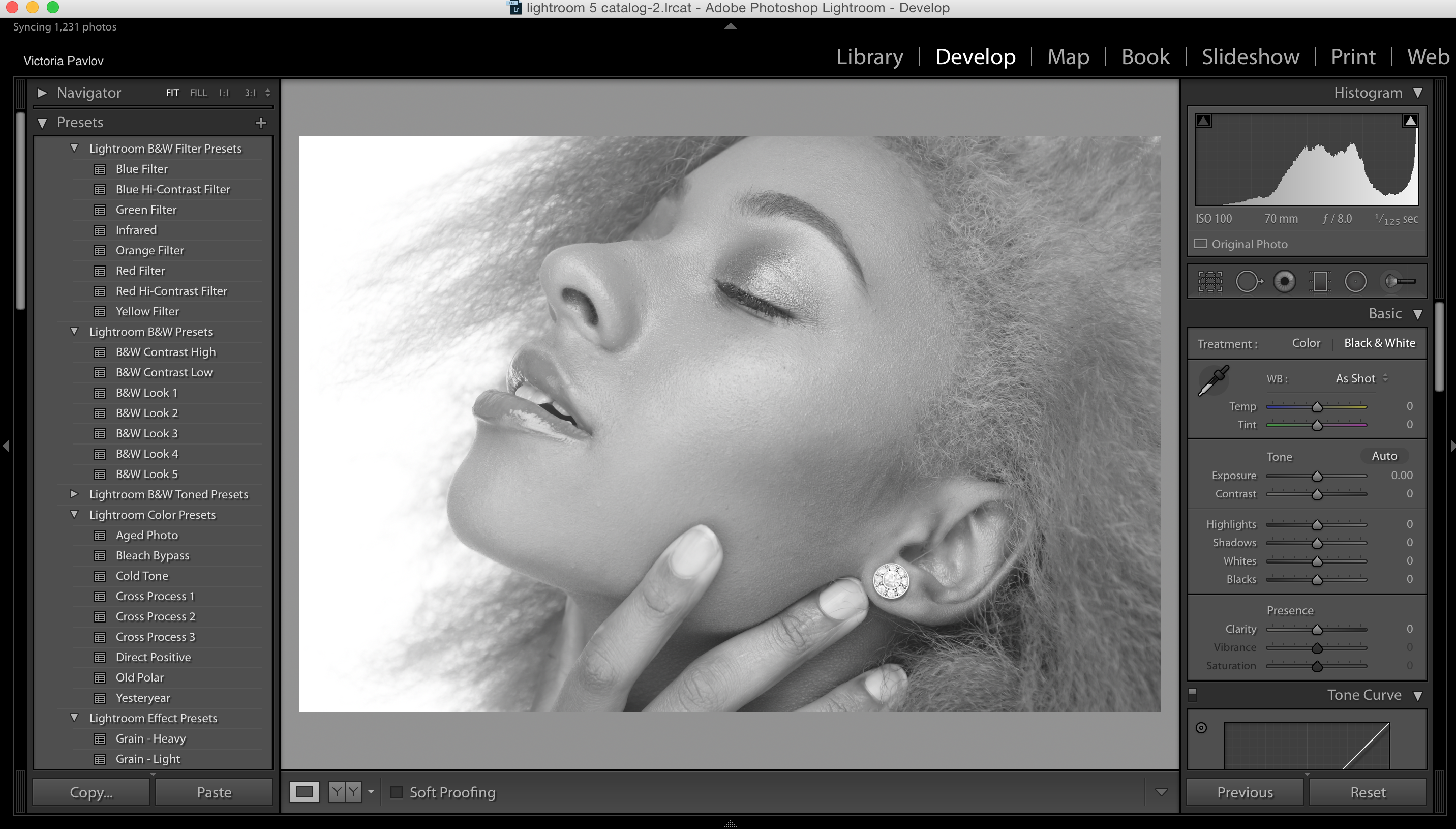
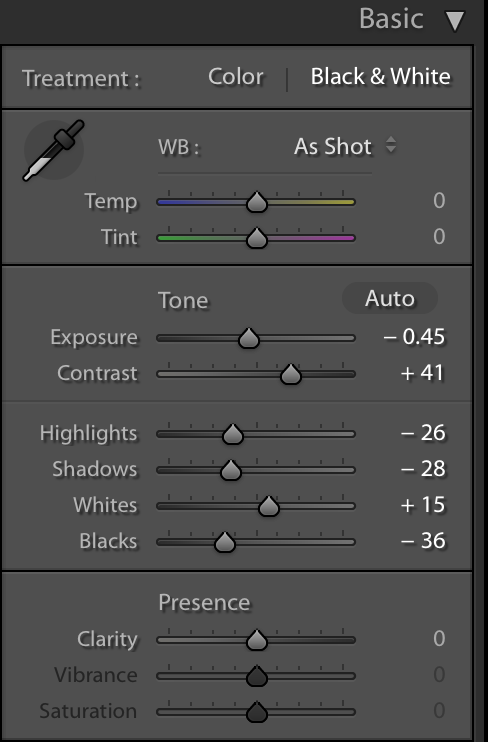
Adjust the sliders to get the look you want or use mine below
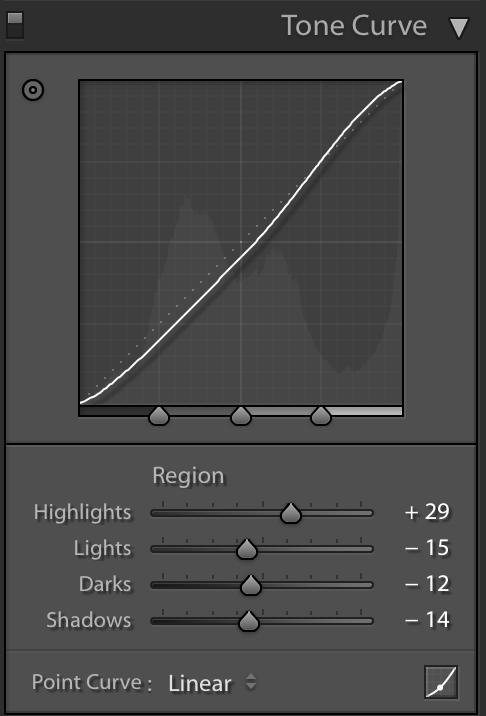
2: Using Tone Curve panel change numbers of each slider ( Highlights, Lights, Dark, Shadows )
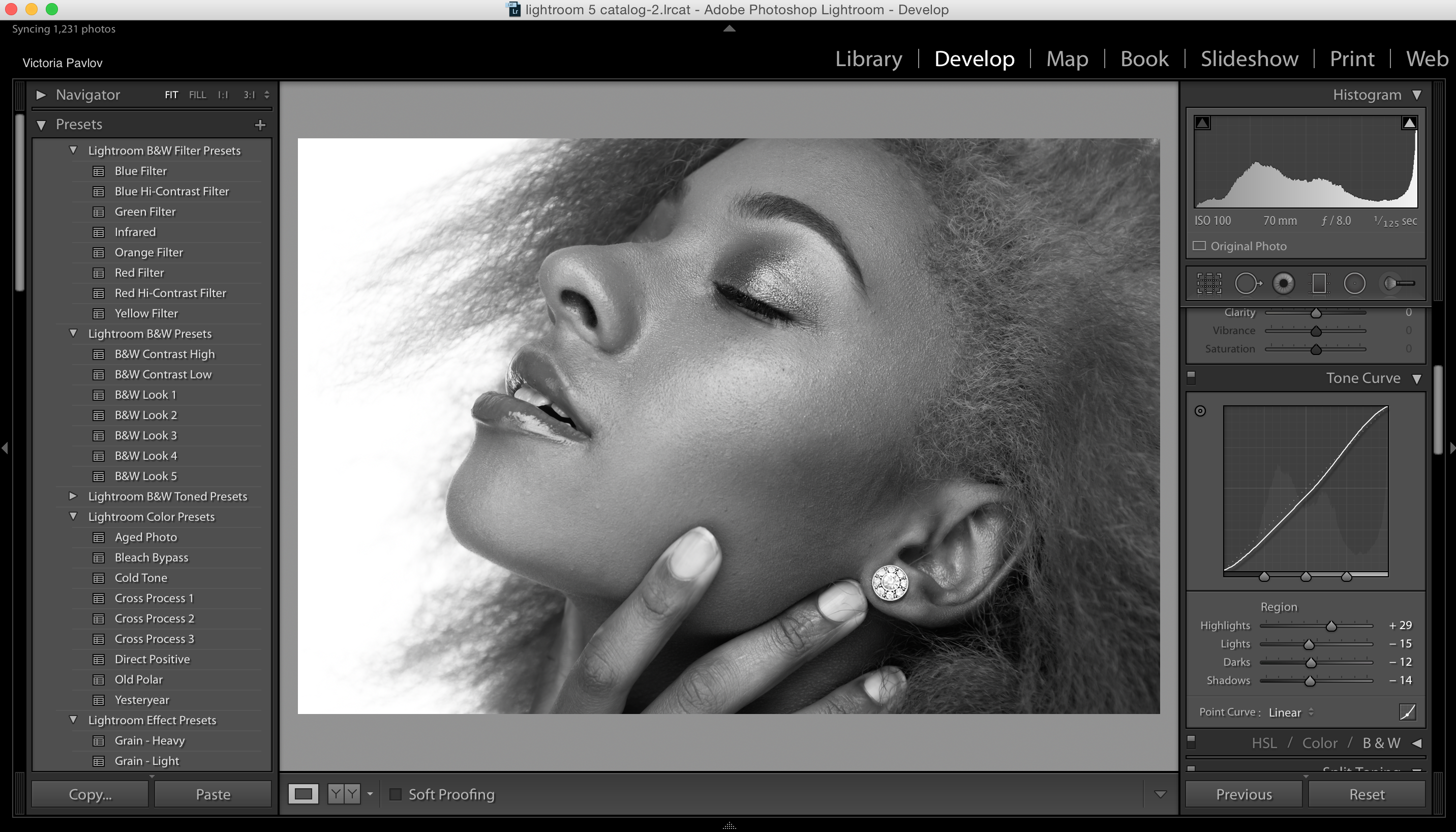
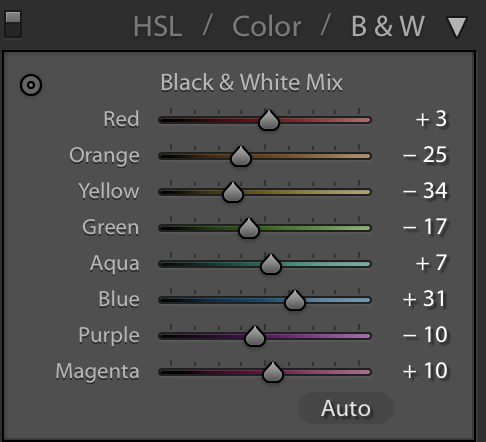
3: Change numbers of each B & W slider (it will depend of your image)